Frequently asked questions
Find a quick answer to a common question. Each answer links to the guide that explains it in full.
No question matches. Try the AI chat at the bottom right, or contact support.
Load and grid
How does SolarSENS calculate Load Energy?
Load Energy = Daily Yield + Grid Import − Grid Export. SolarSENS uses daily meter energy, not instantaneous power. For example, 80 kWh yield, 30 kWh import, and 10 kWh export give 100 kWh Load Energy.
Why does Grid Export show below the chart axis?
The chart draws export below the axis to show its direction. The stored Grid Export value is still a positive amount.
Performance and availability
Why does the Day chart show 30-minute points when losses use 5 minutes?
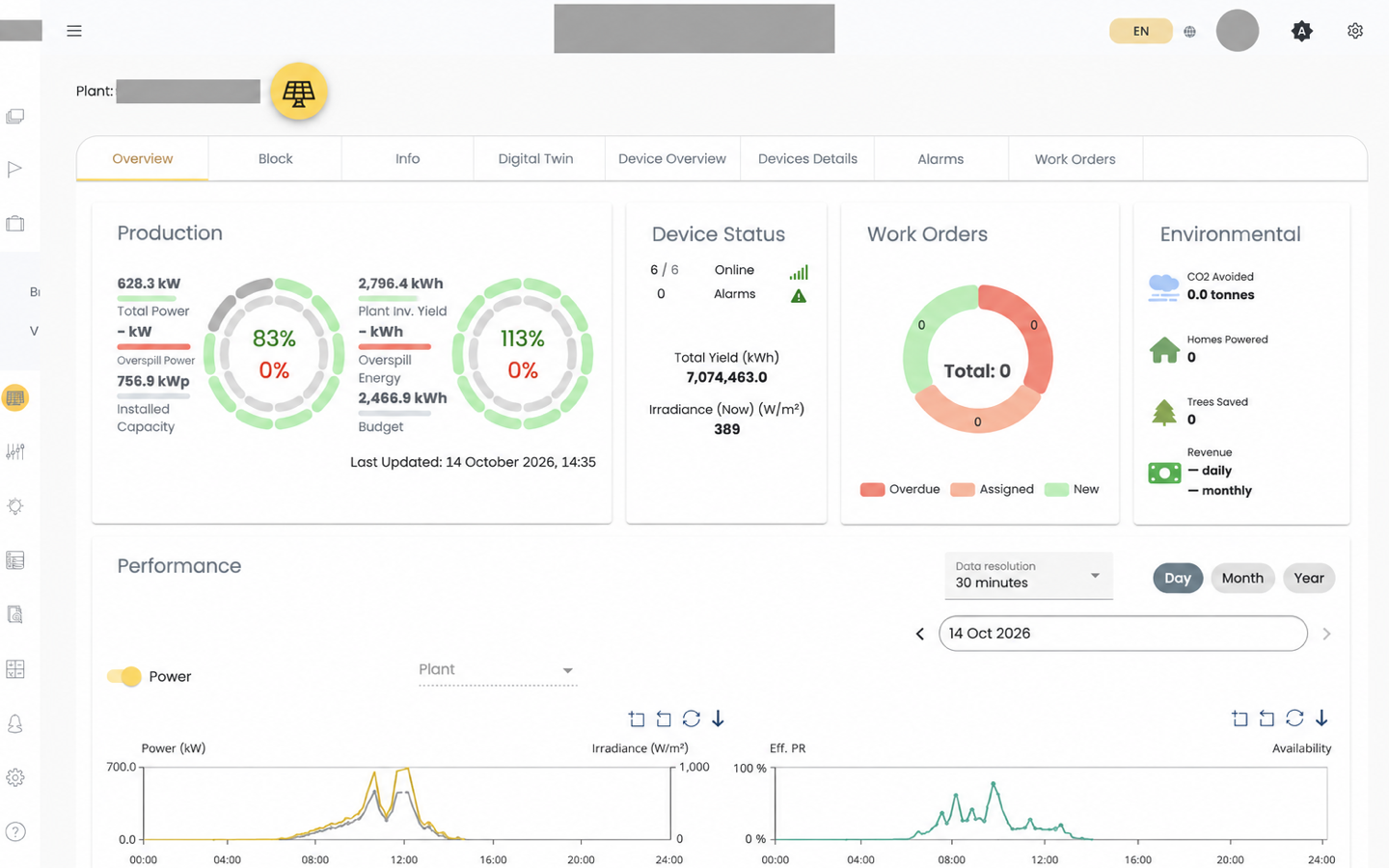
The display grain is not the calculation grain. The Day performance chart shows 30-minute points. SolarSENS calculates losses from five-minute intervals.
Why is availability high when data is missing?
Intervals with missing power or status data are unknown, and SolarSENS leaves them out of the calculation. A plant with little data can show high availability from few intervals. Check the data coverage before you compare plants.
Work orders and exclusions
How do I choose the exclusion period?
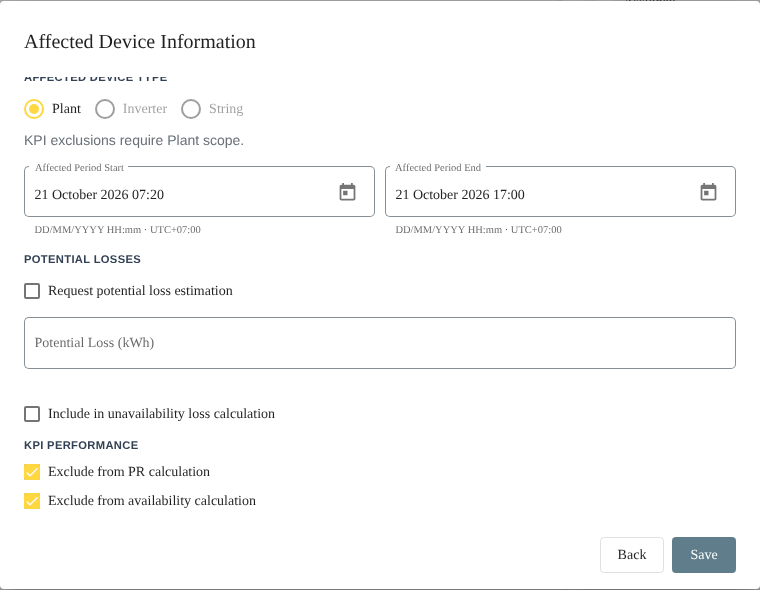
SolarSENS applies exclusions in five-minute blocks. You do not have to start the period at the exact minute of the event. Select a period that contains the event.
SolarSENS already removes low-irradiance intervals from the calculation, so you do not have to exclude them.
Where can I see the result of a PR or availability exclusion?
Look on the plant page. The work order does not show the result. A PR exclusion changes PR only after a person with permission to approve KPI work orders approves it and SolarSENS recalculates the affected days. Then open the plant page and make sure that PR and availability for the period changed as you expect.