Access, roles, and subscriptions
When you need to understand whether someone can use a SolarSENS page or complete an action, start with their role. Then check their assigned plants, the organization’s subscriptions, the permission for the action, and the record’s status.
A role gives someone a starting set of SolarSENS features. It is not a complete access decision: assigned plants, subscriptions, action permissions, and record status can further narrow or extend what the person can do.
Compare customer roles
Section titled “Compare customer roles”Use this matrix to compare the starting experience for each customer role before optional subscriptions are added.
| Customer role | Starts in | Portfolio | Operations | Plant | Insights | Reports | Billing | Support |
|---|---|---|---|---|---|---|---|---|
| Investors | Portfolio | ✓ | ✓ | ✓ | ✓ | ✓ | — | — |
| External User | Portfolio | ✓ | ✓ | ✓ | ✓ | ✓ | ✓ | ✓ |
| Roof Owner | Owner Plant | — | — | Owner view | Charting | — | ✓ | — |
| Tenants | Tenant Portfolio | Tenant view | — | ✓ | — | — | ✓ | — |
| Tenants-Billing | Billing | — | — | — | — | — | Meter readings and bill generation | — |
Operations is the Operation Overview page, and Reports covers reporting and DataHub exports. A dash means the role doesn’t include that area on its own.
Your organization may also have groups named All or Sub Portfolio. These are not SolarSENS roles on their own — an administrator needs to check how each group is set up before using it to grant access.
Group names can differ between organizations. If your names do not match this table, ask your administrator to confirm the role attached to each group.
Role and subscription
Section titled “Role and subscription”Roles and subscriptions answer different questions:
- A role provides the person’s starting access to SolarSENS areas.
- A subscription adds a selected feature for the organization.
- The person’s assigned plants, action permissions, and record status still decide what they can see or do within that feature.
This is why two people with the same role may not see exactly the same plants or controls.
Example role surfaces
Section titled “Example role surfaces”These examples show why role and subscription are separate checks:
| Example | What it shows |
|---|---|
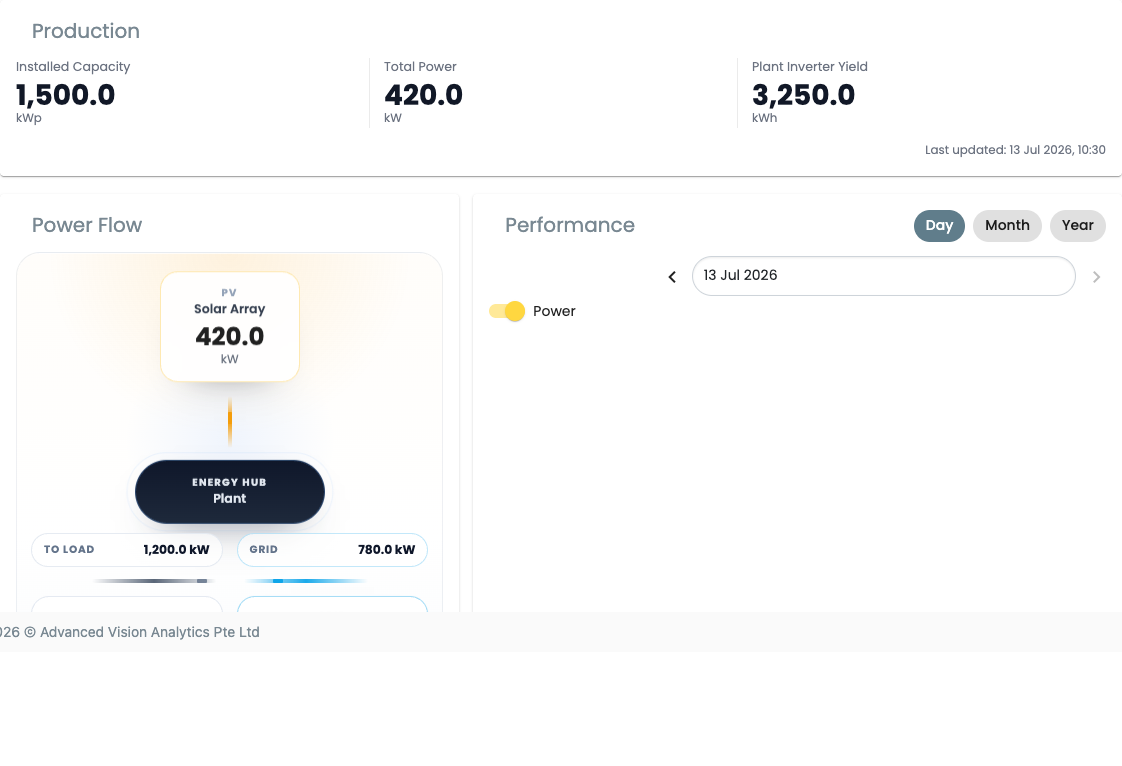
| Roof Owner Plant Overview | A role-specific plant page for assigned-site monitoring. |
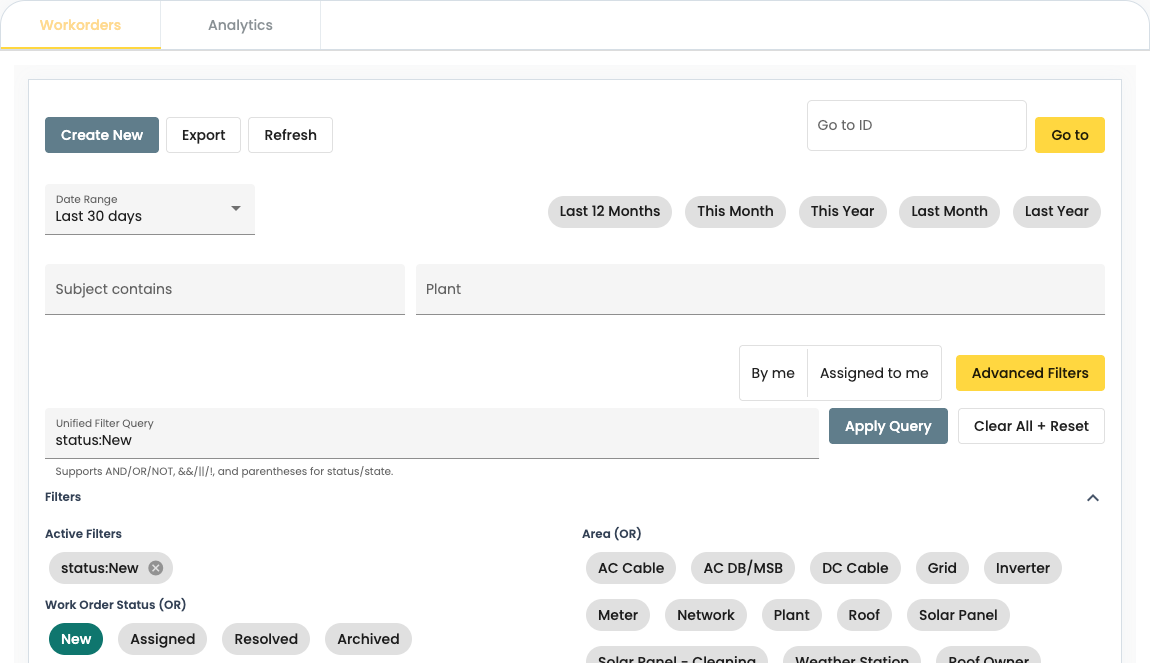
| Work Orders | A subscription-backed workspace that still depends on the user’s role, plant access, and action permissions. |
What else affects access
Section titled “What else affects access”A role is only one part of access:
- Assigned plants decide which sites and records the person can work with.
- Subscriptions add selected features for the organization.
- Action permissions decide whether the person can view, create, edit, approve, or delete in a particular workflow.
- Record status can change which actions are available. For example, a closed record may no longer be editable.
Subscription features
Section titled “Subscription features”A subscription adds a feature for an organization; it does not give every user unrestricted access to that feature.
Optional subscription features include:
- Work Orders — adds the Work Orders workspace for eligible External Users.
- Cleaning Analytics — adds the Cleaning Analytics view for eligible Investors and External Users.
The person’s role and assigned plants still apply after a subscription is enabled.
When a feature or action is missing
Section titled “When a feature or action is missing”Check these items with your administrator:
- Is the person using the intended account?
- Is the required organization and plant assigned to them?
- Does their role include the page they need?
- Does the organization have the required subscription?
- Do they have permission for the exact action they are trying to complete?
If the issue remains, send SolarSENS support the account email, organization or plant, page, intended action, and the message shown. Never send a password or access token.
For a detailed example of action permissions, see WorkOrder roles and permissions.